Creating Temporary Email for Maximum Privacy
Most privacy advice reads like a second job: install this, configure that, route everything through three services, and maintain it all forever. No wonder most people do nothing.
Creating a temporary email for privacy is the opposite of that. It's one of the highest-leverage privacy habits available, and it takes about ten seconds. No software, no configuration, no maintenance. You just stop giving your real address to websites that don't need it. Here's how to do it properly on Mailss — not just the mechanics, but the small choices that determine how much privacy you actually get.
Creating your address: the actual steps
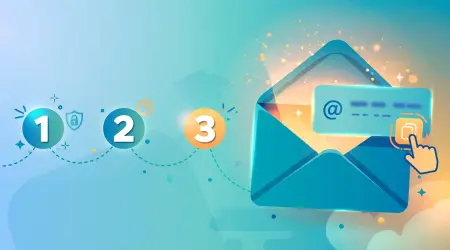
Step 1: Open Mailss. Go to mailss.online. Look at the top of the homepage — there's already an email address sitting in the field. You didn't click anything to get it. There's no "create account" button, no form asking for your name, no email verification loop (which would be darkly funny for a temp mail service). The address exists; it's yours to use.
Step 2: Copy it. Hit the Copy button next to the address field. One click, full address on your clipboard, no risk of mistyping a character. Email addresses are unforgiving — one wrong letter and the verification goes nowhere — so use the button rather than selecting the text manually.
Step 3: Paste it where it's needed. Into the signup form, the download gate, the trial registration. Fill out the rest of the form as normal. From the website's perspective, this is a perfectly ordinary email address.
Step 4: Collect your mail. Switch back to the Mailss tab. The inbox sits directly below the address field, and messages appear there on their own — no waiting around, though a Refresh button is available if you want to check manually. Click to open, grab your verification code or confirmation link, and you're done with the signup.
Step 5: Decide the address's fate. If this was a one-off — a download, a single verification — hit the Change button now and get a fresh address for next time. If you're in the middle of a trial and expect more mail over the next few days, keep the tab open and keep using it. You control when each address's life ends.
Choosing the right setup for privacy
The address Mailss generates for you works fine as-is. But a couple of choices meaningfully affect your privacy:
Rotate deliberately. The Change button is the most important privacy feature Mailss has, and it's the one people underuse. Every time you change the address, you sever the link between your past signups and your future ones. A sensible rule of thumb: one address per signup. It takes a moment and it means no two services ever share an address that points back to the same inbox session. The Change dialog also shows the Domain dropdown with the site's available domains, so you always know what you're working with.
Star before you change. The inbox's favorites feature is your safety net. If a message contains something you'll need — a license key, login credentials, a receipt — star it before rotating the address. The reliable habit: star first, change second. The old inbox stops receiving the instant you change, so rotating in the reverse order risks losing a message you wanted to keep.
Privacy habits that actually work
Creating the address is the easy part. Getting real privacy out of it comes down to habits:
Never mix purposes. Don't use the same temp address for a sketchy download site and your freelance client portal. One address per service, always. Cross-contamination is how separate parts of your online life get stitched together.
Don't fill in the other fields honestly. This sounds obvious, but people carefully protect their email and then type their real name, phone number, and birthday into the same form. The temp address protects your inbox — it does nothing about the other data you volunteer. For casual signups, minimal or placeholder details in optional fields.
Rotate on a schedule for ongoing use. If you're using a temp address for something that lasts weeks — say, a trial you're genuinely evaluating — set your own rhythm. A weekly rotation works well: star anything important, hit Change, update the trial account's email if the trial matters enough to keep. It takes a minute and keeps the exposure window short.
Use the QR code for mobile signups. Scan the QR code on the Mailss homepage and the inbox opens on your phone. A lot of privacy-relevant moments happen on mobile — app signups, in-store loyalty programs, event check-ins. Having the inbox in your pocket means you never have to fall back to your real address "just this once."
Mistakes that undo your privacy
Reusing one address everywhere. The most common mistake. Someone creates one temp address, uses it for thirty signups over six months, and congratulates themselves on their privacy. But now that single address is the common thread across thirty databases — it's a pseudonym, not protection. Rotate.
Using temp mail where permanence matters. Password recovery, banking, tax, medical, anything where losing access would be a crisis. Temp addresses have no recovery flow. If you can't afford to lose it, don't put it on something disposable. This isn't a limitation of Mailss — it's the nature of the tool.
Remember the inbox has no password. The inbox is protected only by your browser session, not by a login — treat it like a public whiteboard. Don't receive anything sensitive through it. Verification codes and download links, yes. Personal documents, no.
Treating it as invisibility. A temp address hides your email, not your IP address, device, or behavior. It's one layer of privacy, and a good one — your inbox is the most abused piece of personal data you own. But it's not a cloak. Stay realistic about what it covers.
Layering temp mail with other simple habits
A temporary address is one of the highest-leverage privacy habits available, but it works even better paired with two other simple practices. None of them requires technical skill — that's the point. Privacy that depends on expertise doesn't survive contact with a busy life.
Pair it with a password manager. Here's why they're natural partners: temp mail handles the email side of throwaway accounts, and a password manager handles the password side. When you sign up for a trial with a Mailss address, let the password manager generate and store a random password too. Now the entire account — address and credentials — is disposable and secure. If the service gets breached, the attackers get a dead email and a random password that you use nowhere else. The combination closes the loop that temp mail alone leaves open.
Be deliberately boring in optional fields. The temp address protects your inbox, but forms often ask for more: name, phone, company, birthday. For casual signups, the safer move is keeping optional fields empty and required ones minimal. A form that demands your phone number for a PDF download is telling you something about its priorities — believe it, and consider whether you need that PDF at all.
Use your browser's private window for sketchy signups. Not for anonymity theater — for the practical reason that it prevents the site from dropping persistent cookies tied to your main browsing profile. Temp address in a private window is a clean, isolated transaction: no email trail, no cookie trail. Close the window and it's as if it barely happened.
None of this is about paranoia. It's about proportionality: tiny effort for the casual stuff, real care for the important stuff. The temp address handles the 80% of signups that don't matter. Your real attention goes to the 20% that do.
Frequently asked questions
How private is a Mailss address, really?
For its purpose — keeping your real address out of databases you don't control — very. You never provide a name, create an account, or leave personal details, so there's nothing personal attached to the address. Just remember it doesn't hide your IP or make you anonymous in general.
Can I choose my own username for the address?
Mailss generates an address for you on its domain. If the generated address doesn't suit you, the Change dialog includes an Email Alias field for a custom name part (or a Random Name button), and a Domain dropdown showing the available domains. For most privacy purposes, a random address is actually better than a clever custom one — it's harder to connect to you.
What if a website rejects my temp address?
Some sites block disposable domains as a policy. Try a fresh address via the Change button first — that sometimes works for transient failures. If the site still refuses, weigh whether it's worth your real address. For most casual signups, it isn't, and there are usually alternatives.
Should I use a different address for every single signup?
Ideally, yes — that's the strongest setup, and with the Change button one click away, it's barely any effort. At minimum, never reuse an address across unrelated services, and rotate whenever one starts receiving mail you didn't ask for.
Does using temp mail mean I can ignore privacy policies?
Not quite. The temp address protects your inbox, but you're still subject to whatever the site does with other data you provide. Skim the policy for anything alarming, keep optional fields minimal, and remember: the address is one layer, not a force field.