
What Is a Temporary Email? A Beginner's Guide
If you've never used a temporary email address before, this is the guide to start with. No jargon, no assumptions — just a plain explanation of what temp mail is, what it isn't, and how to use it on Mailss in about a minute. By the end, you'll know exactly when to reach for it and, just as importantly, when not to.
What "temporary email" actually means
A temporary email address is a real, working email address with a deliberately short lifespan. It receives mail like any other address — verification codes, confirmation links, signup emails land in its inbox. The difference is everything around it: there's no account to create, no password to remember, no inbox you'll still be managing next year. You use it for one job, then you abandon it.
The simplest mental model: it's a disposable cup instead of your favorite mug. Your real email address is the mug — personal, permanent, you wash it and keep it. A temp address is the cup you grab for one drink and recycle. Nobody would call you paranoid for not drinking every beverage from the same mug for the rest of your life. Temp mail applies the same logic to signups.
On Mailss specifically, the whole thing lives on one page: mailss.online. Open it and an address is already generated in the field at the top. Below it sits the inbox. That's the entire product — no dashboard, no settings, no learning curve.
What it is NOT (clearing up the confusion)
Beginners usually arrive with one of these misconceptions, so let's clear them up front:
It's not a second Gmail. A temp address can't be your "other email account." There's no login to return to, no sent folder, no contacts, no archive. If you need an email address you'll still want in a month, use a real provider.
It's not for sending. Mailss addresses are receive-only. You read what arrives; you can't compose or reply. This is by design — the tool exists to catch inbound signup mail, not to be a mailbox.
It's not encryption or anonymity software. It keeps throwaway signups out of your real inbox, which is genuinely valuable. It doesn't hide your IP address, doesn't encrypt anything, and doesn't make you untraceable. Think "inbox hygiene," not "invisibility cloak."
It's not for tricking anyone. Using a temp address to sample a newsletter is normal privacy practice. Using it to evade a ban, fake an identity, or claim something you're not entitled to is misuse. The tool is neutral; how you use it isn't.
Your first temp address in 60 seconds
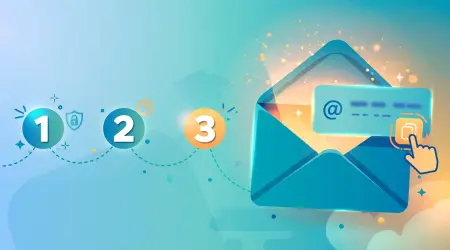
Here's the whole workflow. Time yourself — it really is about a minute once you've done it once:
- Open mailss.online. An address is already sitting in the email field. That's yours. Take a glance at the page: address field on top, inbox below it, Copy and Change buttons beside the field.
- Copy the address. Click the Copy button — one click, no selecting text, no typos. (Email addresses are unforgiving: one wrong character and the verification goes nowhere.)
- Paste it into the signup form wherever you'd normally put your real email. Fill out the rest of the form normally and submit.
- Switch back to the Mailss tab. The verification email or code usually appears in the inbox within seconds — the Refresh button is there if you want a fresh check. Click it, read it, use the code or link.
- When you're done, hit Change. A brand-new address replaces the old one. The old inbox is left behind, and any future marketing mail sent to it goes into the void instead of your real inbox.
That's it. Five steps, one minute, zero accounts created. The step people skip is the last one — rotating the address when you're done — and it's the step that actually delivers the privacy benefit. Get in the habit now and it'll be automatic by the third time.
When to use it: the beginner's shortlist
You don't need to memorize twenty use cases. Start with these five, which cover the vast majority of everyday situations:
- Newsletters you want to sample. Read a few issues; abandon the address if it's not worth it, subscribe properly if it is.
- Free trials. Get the trial without the post-expiry "miss-you" campaign.
- Download gates. "Enter your email to download" — the classic standoff. Temp address in, file out.
- Forum or community signups for places you'll visit a handful of times.
- One-off verification codes — any single code you need once and never again.
When NOT to use it: the rules that keep you safe
This is the most important section of this guide, so please don't skim it. A temporary address must never be used for:
- Banking, payments, or anything involving money. Statements, alerts, and dispute messages go to the signup email. Lose the address, lose the trail.
- Password recovery. If an important account's recovery email is a temp address you've abandoned, you can be locked out permanently. This is the single most common temp-mail disaster, and it's entirely avoidable: always use your real email for recovery.
- Anything you'll need in six months. The six-month test: if you'll care about this account later, it deserves your real address today.
- Two-factor authentication codes. Lose access to the address and you're locked out on your next new-device login.
- Orders and bookings. Confirmations, shipping updates, and refunds all go to the signup email.
Memorize this one line and you'll never go wrong: if losing the address would cause you a real problem, don't use a temp address.
What to expect (and what to do when it hiccups)
Most of the time, the workflow just works: paste, wait seconds, read, rotate. Two hiccups are common enough to mention:
The email doesn't arrive. Wait two to three full minutes first — some senders are slow. Then verify the address was pasted exactly, confirm the site actually sent something, and check whether the site blocks disposable domains. Last resort: Change button, fresh address, try the signup again.
The site rejects the address. Some sites blocklist known temp-mail domains. Try once more with a fresh address; if it still refuses, that's deliberate policy — use your real email. Don't hammer the form with attempt after attempt.
Neither of these means the tool is broken. They're just the normal friction of a privacy tool operating in a world where some sites would prefer you hand over your real address. Now you know which it is and what to do about it.
Your first week: building the reflex
Knowing about temp mail and using it are different things. Here's a gentle on-ramp for your first week — no pressure, just a sequence that turns the concept into a habit:
Day one: the lowest-stakes signup you can find. The next newsletter, download gate, or "enter email to continue" you meet — that's your practice run. Open mailss.online in a new tab, copy the address, paste, verify, rotate. Notice how unremarkable it feels. That's the point.
Midweek: pin the tab. If you found yourself reaching for it more than once, pin the Mailss tab in your browser so it's always one click away. The people who get the most out of temp mail aren't power users — they're just people for whom the tab is always there. Friction is the enemy of good habits; a pinned tab removes it.
End of week: audit your real inbox. Look at the promotional mail that arrived in your real inbox this week and ask, for each one: could this have gone to a temp address instead? You'll usually find three or four that could have. That's three or four senders who now have a permanent line to you that they didn't need. Next time, they'll get the disposable layer.
After a week of this, the reflex forms: gate appears, temp address goes in, real inbox stays clean. It stops feeling like a "privacy technique" and starts feeling like common sense — because it is.
One more thing about trust
You're trusting a website you've just met with a slice of your digital life — even a disposable slice. So it's fair to ask: why trust Mailss specifically? Here's what to look for in any temp-mail tool, applied here:
Does it ask for anything before working? Mailss doesn't — the address is there on page load. Does it explain its limits honestly? That's what this guide is. Is the operation minimal enough to reason about? One page, no accounts, receive-only. And does the site's other content read like it was written by someone who's actually used the tool? These guides aim to answer that themselves.
Trust, like a temp address, should be provisional and evidence-based. Try it on something low-stakes, see that it works exactly as described, and let the tool earn the bigger jobs. That's a healthier relationship with any online service — and it's the same skepticism that makes temp mail sensible in the first place.
Frequently asked questions
Is temp mail legal?
Yes. Choosing which inbox receives a website's emails is a mainstream privacy practice. It only becomes a problem if you use it to deceive someone or to evade rules you agreed to — like a service that explicitly prohibits disposable addresses in its terms.
Does Mailss require a signup?
No — that's the point. Open mailss.online and the address is already there. No username, no password, no profile. If a temp-mail tool asks you to create an account first, it's missing the point of the category.
How long does the address last?
Treat every address as short-lived and rotate with the Change button when you're done. Temp mail is for the disposable layer of your digital life — anything you need long-term belongs on your real email.
Can a website tell a temporary address is being used?
Sometimes. Sites that blocklist disposable domains will reject the signup — that's their policy, and a fresh address sometimes gets through. If they explicitly ban temp mail in their terms, respect it.
What's the difference between temp mail and just making a second Gmail?
A second Gmail is still permanent, personal, and tied to you — you maintain it forever. A temp address has no identity attached and is meant to be abandoned. Opposite tools for opposite jobs: Gmail for your life, temp mail for the throwaway layer.