
Instant Inbox Privacy With Temporary Email
Some privacy can't wait for a signup form
Picture this: you're in a coffee shop, and the Wi-Fi splash page wants your email before it'll let you online. Or a flash sale ends in twenty minutes and the discount code gets sent to "your email address." Or a friend drops a link to a beta signup in a group chat and the whole thing closes tonight. In every one of these moments, you have about thirty seconds to decide which inbox gets handed over — and your real one is the wrong answer.
This is the scenario temporary email was born for. Not slow, considered privacy planning, but the instant kind: privacy you can grab in seconds, use once, and throw away. This is the situation where the difference between doing it right and doing it sloppily matters. Speed is the feature here — but speed without a little know-how creates its own problems, and the common ones are worth learning in advance.
Privacy in under thirty seconds
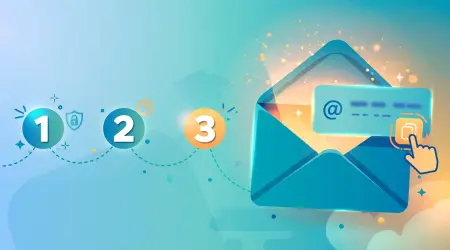
Here's the entire workflow, because it really is this short. Open mailss.online. An address is already sitting in the email field at the top of the page — generated the moment the page loaded, no signup, no waiting, no configuration. Hit the Copy button next to it. Paste the address into whatever form is demanding your email. Switch back to the Mailss tab and watch the inbox section below the address field. Your mail shows up within seconds, and the Refresh button is there if you want a fresh check. Click it, grab the code or link, and you're done.
The first time anyone does this on a phone — standing in a store line with a clerk waiting while a "enter your email for 10% off" prompt stares back — the lack of friction is genuinely surprising. No app to install, no account to create, no "verify your email to verify your email" loop. The page loads, the address exists, and you're in business. That absence of setup is the entire reason instant privacy works. Any tool that needed five minutes of configuration would miss the moment completely, and the moment is the whole point.
One practical habit that saves real embarrassment: keep the Mailss tab open while you complete the other signup. You'll be switching back to check for incoming mail, and on mobile especially, hunting through browser tabs while someone waits — or while a timer counts down — is exactly how mistakes happen. Open Mailss first, then go do the signup, then come back. Order of operations matters when you're in a hurry, and this tiny bit of sequencing prevents most rushed errors.
Where instant privacy actually pays off
Not every signup deserves the same treatment, and not every rushed moment is identical. These are the situations where a thirty-second temp address is exactly the right call — and where handing over your real address buys you nothing but future regret.
Public Wi-Fi splash pages
Cafes, airports, hotels, malls — the "enter your email for free Wi-Fi" gate is everywhere now. Your real address buys you nothing here except a lifetime of promotional mail from a coffee chain you visited once. A temp address gets you online in seconds. By the time the first "miss-you" follow-up arrives, you've hit the Change button and that address — and its entire inbox — no longer exists. The Wi-Fi was free; the marketing list subscription cost you nothing because there was nothing of you in it to keep.
Flash sales and limited-time offers
"Sale ends in 20 minutes — enter your email for the discount code." The urgency is manufactured, but the code is real, and your real inbox doesn't need to pay for it with three emails a week for the next two years. Generate the address, grab the code, complete the purchase if you want it, then rotate. The retailer got a sale; they didn't get a permanent marketing channel into your life. That's a fair trade.
Event registrations and RSVPs
Webinars, meetups, conferences, free workshops — they all want an email, and most of them will use it for exactly one confirmation and then add you to everything they send forever. A temp address handles the confirmation and the calendar invite just fine. If the event turns out to be worth following, you can always give them your real address later, deliberately. That's the key word: deliberately. Your real inbox should be opt-in, not collateral damage.
Trying out apps and games
That new app your friend recommended, the game you want to try for one evening, the tool with a "free" tier that demands an account first. Most of these get abandoned within days — industry data shows most trial accounts go cold fast, and common experience matches. There is no reason your real inbox should carry the follow-up drip campaign for an app you opened twice. Temp address in, verification code out, done. If it becomes something you actually use, switch it to your real email then, on purpose.
Contests, giveaways, and beta lists
The expected value of most giveaways is near zero and the expected volume of follow-up email is enormous. That's a terrible trade for your real address and a perfectly fine trade for a disposable one. Same logic for beta signup lists: you want the invite if it comes, you don't want the "pivoted-to-crypto" newsletter eighteen months later.
Beating the countdown timer
The trickiest instant-privacy situation is the timed one: a verification code that's only valid for five or ten minutes. This is where the real-time inbox earns its keep, and where a little technique helps.
First, have Mailss open before you trigger the code. The sequence that fails is: request code, then open temp mail, then wait for the page to load, then panic. The sequence that works is: Mailss tab already open with an address copied, paste it into the form, hit send, switch straight back. You've just saved yourself the page-load delay, which is often the difference between a calm signup and a sweaty one.
Second, know what you're looking for. Most verification codes are four to six digits, sitting in the message body or the subject line. Confirmation links are usually big, obvious buttons. Download links tend to be near the top. When you open the message, scan for the actionable item first and read the rest later — or never. Under time pressure, triage beats thoroughness.
Third, if the code doesn't arrive within a couple of minutes, don't just sit there. Check the pasted address character by character against your Mailss address — a single wrong character is the most common failure and the easiest to miss when rushing. Then consider that some senders are simply slow; give it a full two to three minutes. And if the timer is truly about to die, generate a fresh address with the Change button and request a new code to the new address. Starting clean is faster than debugging a broken attempt.
The mistakes people make when rushing
Speed is great until it isn't. These are the errors that come up most often in hurried temp-mail moments, roughly in order of how often they happen.
Pasting the wrong address. You copied it in a hurry, or you copied it from the wrong tab, or autocomplete "helpfully" filled in your real email. Always glance at what you pasted before submitting. Ten seconds of checking beats ten minutes of wondering where the email went.
Closing the Mailss tab too early. The signup isn't done when you submit the form — it's done when you've received and used the verification. Keep the tab alive until the whole flow completes. On phones, background tabs can get killed by the browser to save memory; if that happens, just reopen mailss.online, but note you'll get a new address, so you'll need to redo the signup with it.
Using temp mail for the wrong kind of urgency. A password reset for an account you care about is urgent, but it is not a temp-mail situation — ever. If you lose that address, you lose the account. Urgency makes people reach for the fastest tool, so build the reflex now: banking, recovery, 2FA, orders with refunds — those always get the real address, no matter how rushed you feel.
Forgetting to rotate afterward. The rush ends, the code worked, and you move on with your day — leaving the address active. Then the drip campaign starts, and your "disposable" address becomes a second inbox you never check but that still represents you. Make rotation the last step of every rushed signup: job done, hit Change, walk away. It takes one second and it's the step that makes all the previous steps count.
Frequently asked questions
How fast do emails actually arrive?
Usually within seconds and almost always within a couple of minutes. The inbox updates on its own — the Refresh button is there if you want a fresh check. The main variable is the sender: some services dispatch instantly, others batch their mail. If you're staring at a countdown timer, have the Mailss tab open before you request the code.
Does it work on mobile browsers?
Yes — the whole thing runs in the browser, no app needed. One tip: use the QR code on the Mailss homepage if you're switching between devices, and try not to let the browser kill the background tab mid-signup. If it does, reopen the page and redo the signup with the fresh address.
What if the site rejects the temporary address?
Some sites block disposable domains as policy — you'll usually see a message like "temporary emails not allowed." That's their rule, not a bug. Try a fresh address with the Change button; if that fails, decide whether the site has earned your real address or whether you simply don't need what it was offering.
Can one temp address be used for several quick signups?
It's possible, but it's not recommended. Each signup is a separate exposure — a separate chance of a breach, a sale, a leak. One address per signup keeps those exposures isolated from each other. Generating a new address takes one click, so there's no real cost to doing it right.
Is using temp mail for a quick signup legal?
Yes — choosing which of your inboxes receives a site's mail is perfectly legal and a mainstream privacy practice. The one caveat: if a service explicitly prohibits disposable addresses in its terms, respect that rather than working around it. And never use temp mail to deceive anyone or evade a ban.
Instant privacy is a habit, not a product. The product just removes the friction: open the page, copy the address, paste, read, rotate. Thirty seconds, once you've done it twice. Build the reflex for every throwaway signup and your real inbox goes back to being what it should be — a place for mail from people and services that actually matter to you.