Why You Need a Temporary Email Address
Open your inbox right now and scroll back a month.
How many of those emails did you actually ask for? The newsletter from the store where you bought one pair of shoes. The "miss you!" nudge from the app tried for a day. The webinar follow-ups, the partner offers, the loyalty program updates for a card long lost. Most people's inboxes aren't communication tools anymore — they're junk drawers, and almost everything in the drawer got there because at some point, some website asked for an email address and you gave your real one.
Nobody should tell you to stop signing up for things — that's not realistic. What is realistic is putting a buffer between your real address and the internet's endless appetite for it. That's the job a temporary email address does, and once you start using one, you'll wonder why you ever did it the hard way.
The signups you can't avoid
Here's the thing nobody admits: a huge percentage of online life now requires an email handshake. Not because the service needs it, but because the business wants it. You can't read the article without registering. You can't download the driver without an account. You can't get the discount code without joining the list. Opting out usually means opting out of the thing itself.
So you sign up. And each signup is a small, permanent transfer of your address to someone else's database — a database you don't control, can't audit, and will never see again. Some of those databases are well-guarded. Plenty aren't. Breaches happen constantly, marketing lists get sold, companies get acquired and their user data goes along as an asset. Your address drifts further from you with every handoff, and there's no mechanism anywhere to call it back.
A temporary address breaks this chain at the first link. The database gets an address that stops existing when you say so. There is nothing downstream to leak, sell, or send unwanted mail to — because there's nothing there.
Five situations where a real address isn't needed
1. The "free" trial with a credit card attached. You know the pattern: 7 days free, card required upfront, and canceling takes a phone call. Not saying don't try the product — register the trial with a temp address so that when you cancel, the relationship actually ends. Marketing emails to a dead address cost them, not you.
2. One-off customer support chats. "Enter your email for follow-up updates!" for a question that got answered in the chat itself. A temp address satisfies the form and the follow-up goes nowhere. If the issue isn't resolved and you need the thread, keep the tab open until it is.
3. Comment sections and forums. You want to answer someone's question on a niche forum, not become a lifelong member. Register, post, leave. The forum keeps your brilliant answer; it doesn't keep you.
4. App testing. Trying a new habit tracker, photo editor, or budgeting app? The first 48 hours tell you whether you'll keep it. Use a temp address for the trial period. If the app earns a place on your phone, switch the account email to your real one afterward — most apps let you change it in settings.
5. Anything with the word "exclusive." Exclusive deals, exclusive content, exclusive early access. In practice, "exclusive" is usually marketing for harvesting email addresses. Take the deal with a temp address and judge the actual offer on its merits.
Using Mailss as your buffer
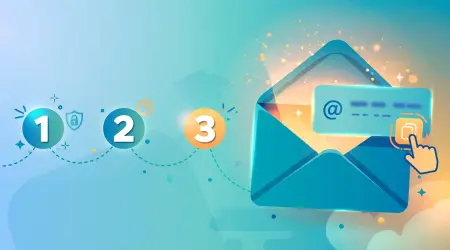
The practical side is simple, which is the whole appeal. Open mailss.online and there's already an address waiting in the field at the top — no signup, no form, nothing to configure. Copy it with the button next to the field, paste it into whatever's asking, and the confirmation lands in the inbox below within seconds.
The habit that makes this actually work: one address per signup. After each registration, hit the Change button and get a fresh one for the next. It takes one second and it means every service you touch gets its own isolated address. If one of them turns noisy — the trial that won't stop emailing, the forum that got chatty — you abandon just that address. Your other signups are untouched, and your real inbox never knew any of them existed.
When a confirmation contains something worth keeping — a license key, a receipt, login credentials for a trial you might continue — star the message first. Mailss's favorites keep it marked. Then change the address and move on. Treat the star button as a "this one matters" filter, and everything unstarred as genuinely disposable.
Rules for temp addresses
After extended use, the rules that stick are the ones that never get broken:
Never for recovery. If an account has a "forgot password" flow that might be needed someday, it gets your real email. Temp addresses are for things you're willing to lose access to. This is the single most important rule.
Rotate, don't hoard. The power of a temp address is that it's temporary. Keeping one address for months and using it for twenty signups just recreates the junk-drawer problem with extra steps. Change early, change often.
Finish first, then change. The old inbox dies the moment you hit Change. Click the verification link, download the file, copy the code — then rotate. Losing a confirmation email to impatience is the classic beginner mistake, and it's the one that gets remembered.
Keep it on your phone. Scan the QR code on the Mailss homepage once, and the inbox lives in your phone browser too. Half of life's signup gates appear when you're not at your desk.
What changes (and what replaces it)
To make this concrete, here's an honest before-and-after of typical habits:
Before: a "junk" Gmail account for signups. It works until it doesn't — the password gets forgotten, it accumulates its own unwanted-mail problem, and it still has to be checked because occasionally something important lands there. A second inbox with all the maintenance of a first one.
After: No second account at all. Every casual signup gets a fresh Mailss address. There's no password to forget because there's no account. There's no inbox to clean because each address is abandoned after use. The maintenance overhead went from "a whole second email account" to zero.
Before: hesitation before downloading something — "do you really want to give them your email for this?" — and often just skipping it. Genuinely useful content went unread because the email cost felt too high.
After: downloading freely. The email cost is zero, so the decision is purely "do you want this content?" If the PDF turns out to be a sales brochure, thirty seconds are lost. If it's genuinely useful, something is gained. Removing the email friction changes the relationship with gated content entirely.
Before: Unsubscribe sessions. Every few months, twenty minutes spent unsubscribing from things, and half the unsubscribe links didn't work or just confirmed the address was live.
After: There is nothing to unsubscribe from. The addresses those lists have don't exist anymore. The "unsubscribe session" is hitting the Change button, which takes one second and works every time.
The pattern in all three: no new tool was added to life so much as an entire category of chores was removed. That's what a good buffer does — it doesn't give you more to manage, it gives you less.
Frequently asked questions
Won't I lose track of all these addresses?
That's the beauty of it — there's nothing to track. Each address exists for one job. You don't manage them, file them, or remember them. The only thing worth keeping is the occasional starred message, and the favorites feature handles that.
Isn't this deceptive toward the websites?
You're giving them a working address that receives their mail. That's what the form asked for. What you're declining is the ongoing marketing relationship they bundled with it. That's a fair trade, not deception.
What if I actually want to keep using a service I signed up for with a temp address?
Then switch it. Almost every legitimate service lets you change your account email in settings. Start with temp, and promote the services that earn it to your real address. It's a good filter, honestly — the ones worth keeping reveal themselves.
Do temp addresses work for everything?
No. Some sites block disposable domains, and anything involving money, identity, or recovery needs your real address. Think of it as an 80/20 tool: it handles the vast majority of casual signups effortlessly, and your real email covers the 20% that matters.
How is Mailss different from just making up a fake address?
A made-up address doesn't receive mail, so you never get the verification code — the signup fails. A Mailss address is a genuine working inbox. It receives everything a normal inbox would, for exactly as long as you need it to.